
Insurance Claims Automation: What to Automate, Keep Human, and Where to Start
A practical guide to the claims lifecycle, straight-through processing, human judgment, and the signals that tell you whether a claim is ready for automation.
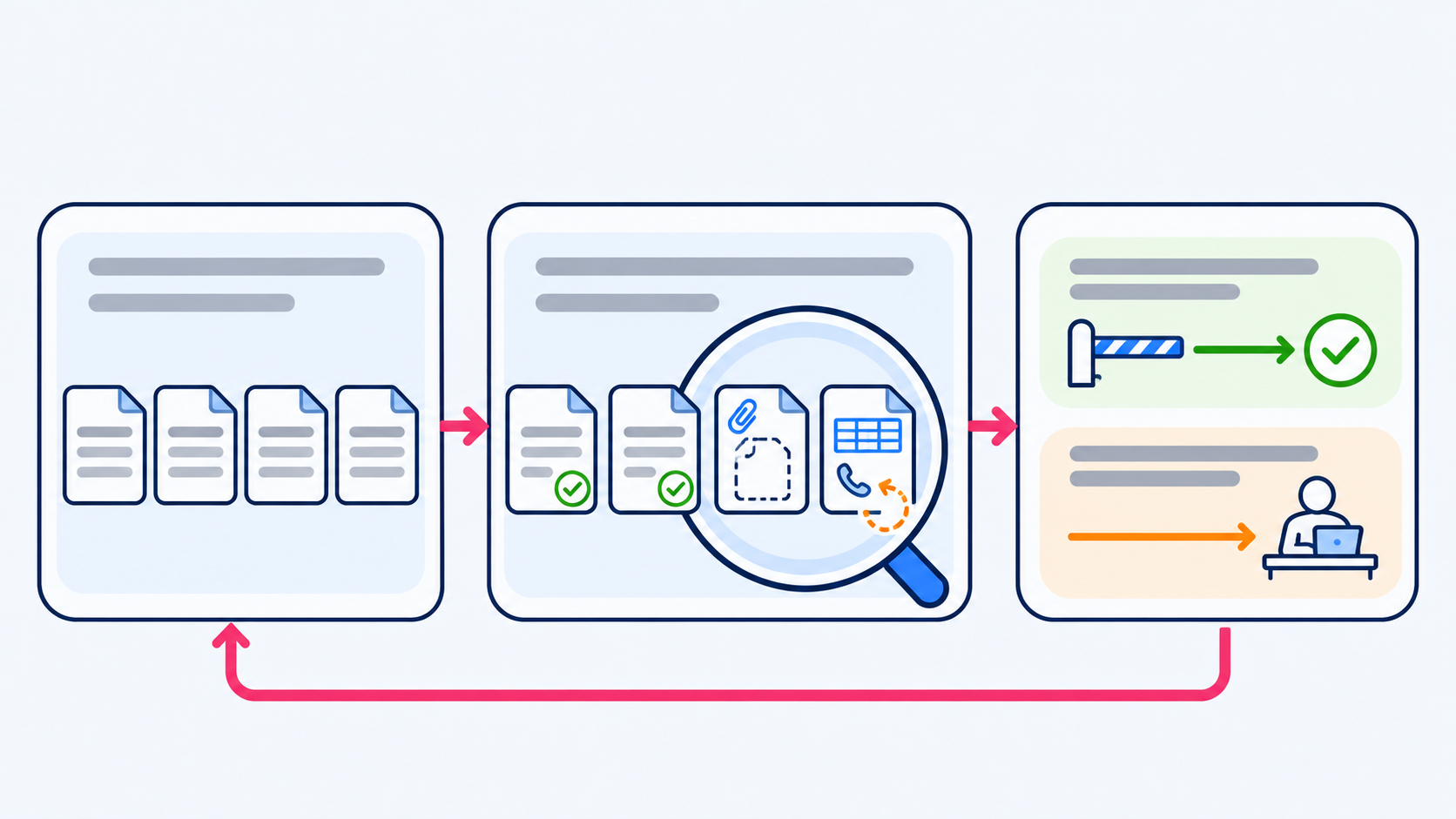
A claim can look routine in the core system and still generate missing-document follow-up, side spreadsheets, repeated status calls, rework, or judgment once someone starts handling it. That distinction matters because claims automation works best when predictable work can be separated from exceptions early.
Insurance claims automation uses workflow, business rules, AI, document processing, and connected systems to move a claim from first notice of loss to resolution with less manual handling. Clean, predictable claims can move with fewer touches, while exceptions reach the right person earlier with the information needed to act.
This guide explains how insurance claim automation works, which parts of the claims lifecycle are common automation candidates, what should usually stay with people, how straight-through processing fits, and what to check before choosing claims automation software.
What insurance claims automation actually does
Depending on the claim type, automation can cover:
Intake
Coverage checks
Document handling
Classification and routing
Fraud screening
Payment calculations
Notifications
Status updates
Many operating models combine automated steps with human review.
The useful question is how much of a claim can move predictably without losing the judgment, accountability, or customer care the case requires.
The best automation target is not the claim with the most clicks. It is the claim with stable rules, reliable data, and exceptions you can identify early.
Where automation fits across the claims lifecycle
A typical claims flow moves through five broad stages. The exact sequence and controls vary by insurer, product, and claim type, but the automation opportunities are similar.
| Stage | Common automation uses | Where people still matter |
|---|---|---|
| First notice of loss | Digital intake, pre-filled fields, completeness checks, acknowledgments | Distressed callers, unclear loss descriptions, special handling |
| Coverage validation | Policy-in-force checks, coverage rules, duplicate checks, document extraction | Conflicting information, ambiguous coverage, missing evidence |
| Triage and routing | Classification by claim type, severity, risk, and work queue | High-severity cases, unclear liability, unusual circumstances |
| Assessment and fraud screening | Document classification, image analysis, anomaly flags, risk scoring | Investigation, expert assessment, fraud judgment, disputed facts |
| Decision and payment | Approvals within defined authority, payment calculation, notifications | Denials, disputes, authority exceptions, complex negotiations |
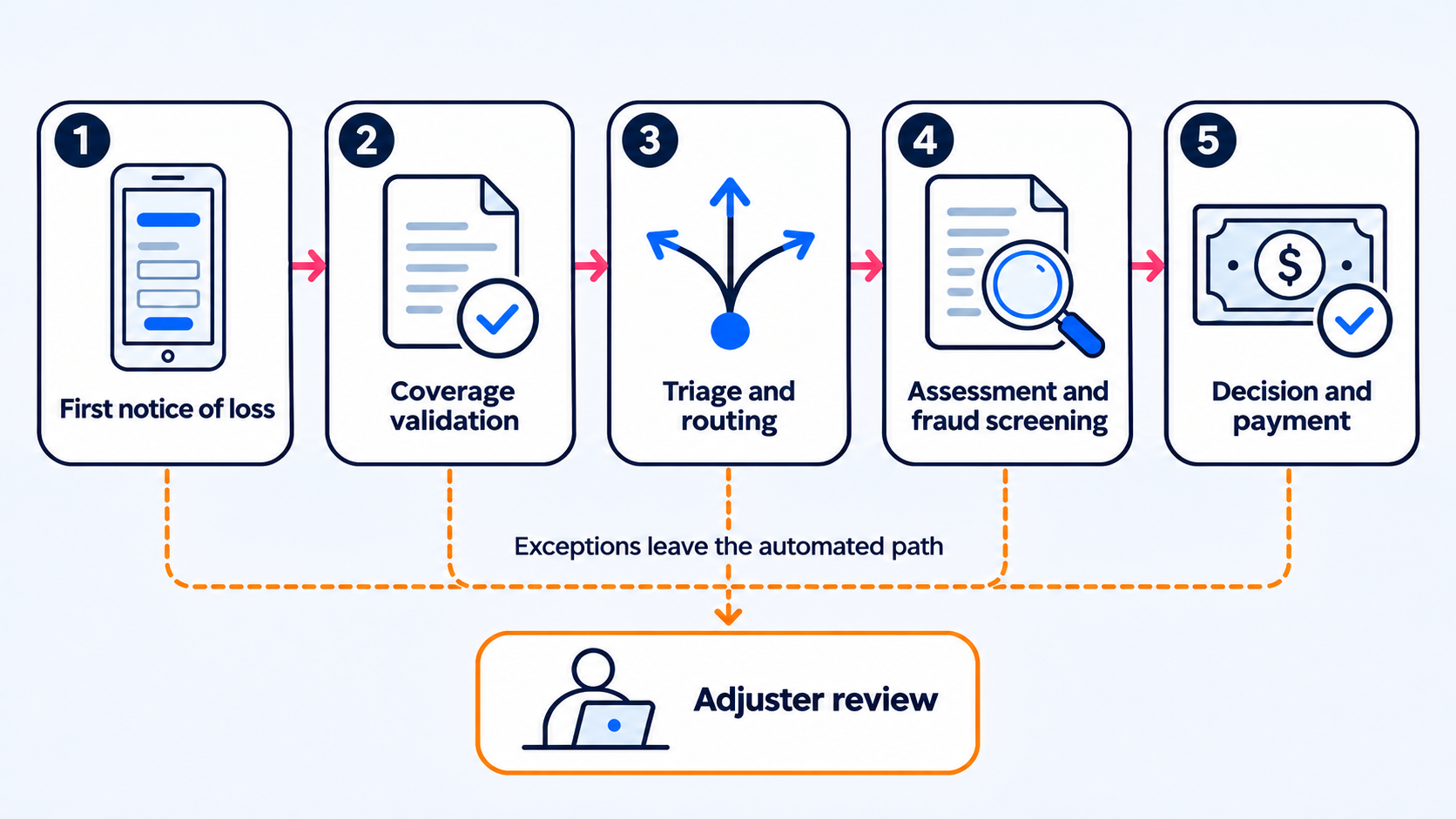
A simplified claims flow. In practice, the level of automation depends on the claim type, decision risk, data quality, and exception path.
How to tell which claims are really routine
The label on the claim is not enough.
Two claims of the same type can require very different handling. One may have clear coverage, complete documents, and a predictable decision. Another may involve missing information, disputed facts, multiple parties, or an exception no standard rule covers.
System data may be enough where the work is fully captured and the exception path is well understood.
In other operations, important handling happens in email, spreadsheets, notes, phone calls, or manual follow-up. That off-system work can change whether a claim is truly ready for straight-through processing.
A practical automation-fit test uses six questions:
| Test | Question | Stronger fit for automation | Keep assisted or human |
|---|---|---|---|
| Rules | Are the decision rules stable and consistently applied? | Clear, repeatable rules | Frequent judgment or policy ambiguity |
| Data | Is the required information available when the decision is made? | Complete, structured, reliable data | Missing, conflicting, or late information |
| Exceptions | Are exceptions uncommon and easy to identify? | Small, known exception set | Many variants or unpredictable exceptions |
| Risk | What happens if the automated decision is wrong? | Low severity, reversible action | High financial, legal, clinical, or customer impact |
| Handoffs | Does the claim move through a predictable path? | Few handoffs, clear ownership | Repeated queues, rework, unclear ownership |
| Accountability | Can the decision and its inputs be reviewed later? | Clear audit trail and escalation path | Opaque decision or unclear owner |
A claim does not need to be perfect on every dimension before automation can help.
The test shows where full automation is realistic, where AI can assist a person, and where the process needs to be simplified before more technology is added.
Straight-through processing versus assisted automation
Straight-through processing means a claim moves through defined validation, decision, and payment steps without a manual touch.
It is best suited to claim types with stable rules, complete information, predictable exceptions, and decision thresholds the insurer is comfortable automating.
Assisted automation handles part of the work and leaves the consequential decision with a person.
Software might collect documents, check completeness, summarize information, flag anomalies, or recommend a route while an adjuster owns the final judgment.
That middle model matters because claims are not evenly complex. High-volume, lower-complexity claims can support heavier automation, while experienced professionals remain central in complex, disputed, or judgment-heavy cases.
Straight-through processing is best expanded claim type by claim type, with the automation boundary adjusted as evidence builds.
Insurance claims automation by line of business
The claims lifecycle is recognizable across insurance lines, but the strongest automation opportunities and the limits on automation differ.
| Line | Common automation fit | Where human review is important |
|---|---|---|
| Auto | Digital FNOL, document intake, photo triage, routing, simple physical-damage workflows | Injury, liability, disputed facts, high-severity losses |
| Property | Digital intake, document collection, catastrophe routing, status communication | Complex scope, coverage questions, third parties, large losses |
| Health | Eligibility and rule-based edits, duplicate checks, document intake, status workflows | Medical necessity, appeals, complex coordination, clinical judgment |
| Life | Policy-status checks, document collection, beneficiary information, status updates | Contested beneficiaries, early-policy review, suspected misrepresentation |
Set targets by claim type. One automation percentage for the whole department hides the differences.
An insurer can automate heavily in one segment and keep another segment deliberately assisted.
Claims automation software and AI tools: what each one does
Claims automation usually combines several capabilities across the lifecycle.
The categories below solve different parts of the problem:
Core claims platforms manage the claim record, workflow, reserves, payments, and reporting.
Business rules engines apply coverage logic, authority thresholds, routing rules, and other deterministic decisions.
Intelligent document processing and OCR extract and validate information from forms, invoices, reports, and attachments.
APIs, integration platforms, and RPA move data between policy, billing, document, payment, and legacy systems.
Machine learning, natural language processing, and computer vision support tasks such as triage, anomaly detection, document understanding, and image assessment.
Analytics and process measurement tools help teams see cycle time, touch time, rework, exceptions, and where manual handling remains.
How to evaluate claims automation software
A clean demonstration is useful, but it does not tell you how the platform behaves when the claim is incomplete, contradictory, or outside the standard path.
Evaluate the exception path as seriously as the happy path.
Six questions are more useful than a long feature checklist:
Exception handling. What happens when required information is missing, a rule conflicts, or the claim falls outside a threshold?
Human handoff. Can the claim move to the right person with context, history, and the reason for escalation intact?
Auditability. Can you review the inputs, rule, model output, and approval path behind an automated decision?
Business control. Can operations teams maintain routine rules, thresholds, and routing without turning every change into a development project?
Integration. Can the platform exchange data cleanly with policy, billing, document, payment, and other systems that the claim depends on?
Measurement. Can reporting separate touch time from total cycle time and show straight-through rate, exception volume, rework, and handoffs by claim type?
Test the platform on the claims that are hardest to route. Clean demo cases tell you much less about how the operation will behave when something goes wrong.
Start with one claim type
Choose one claim type and one outcome you want to improve. Measure enough of the current handling to understand its touch time, total cycle time, exceptions, rework, and handoffs, including material work outside the core claims system.
Then decide where automation genuinely fits. Some steps should disappear, some should be standardized, some can be automated or AI-assisted, and some should remain with people. Define the exception route before launch and re-measure the same claim type afterward.
Related reading: Business Process Analysis and Improvement: Measure Before You Change
Common questions about insurance claims automation
What is insurance claims automation?
Insurance claims automation uses workflow, rules, AI, document processing, and system integrations to complete or coordinate claims tasks with less manual handling.
It can range from automating one step, such as document intake, to straight-through processing for selected claim types.
Can AI handle insurance claims?
Yes. AI can handle or support defined claims tasks such as document understanding, classification, triage, anomaly detection, summaries, and image assessment.
Whether it should make or execute a final decision depends on the claim type, decision risk, governance, and the insurer's control framework.
What is straight-through processing in insurance claims?
Straight-through processing is a claims flow in which defined validation, decision, and payment steps complete without a manual touch.
It is usually introduced first where rules are stable, information is complete, and exceptions can be identified early.
Which claims are best suited to automation?
The strongest candidates are usually high-volume claim types with stable rules, reliable data, predictable exception paths, and decisions that carry manageable risk.
Claims with disputed facts, unclear coverage, high severity, litigation, fraud concerns, or significant judgment typically need more human involvement.
What should insurers measure after automation?
Track both efficiency and operating quality.
Useful measures include touch time, total cycle time, straight-through rate, exception volume, rework, escalations, complaints, and the capacity actually released or redeployed.
Bottom line
Insurance claims automation can remove repetitive handling, improve routing, shorten avoidable waits, and give experienced claims professionals more time for cases that need judgment.
The value depends on drawing the automation boundary in the right place. Begin with a clearly defined claim type, prove that the automation and exception paths work as expected, and expand when the evidence supports it.
Find out where value is leaking out of your operation.
One agreed scope, thirty days, a measured baseline and an executive readout.